Why I Created PromptBoost: From 47 Browser Tabs to a Better Way
The honest story behind building PromptBoost — a desktop app for managing AI prompts. Learn why I built it, the problems it solves, and the journey from frustration to solution.
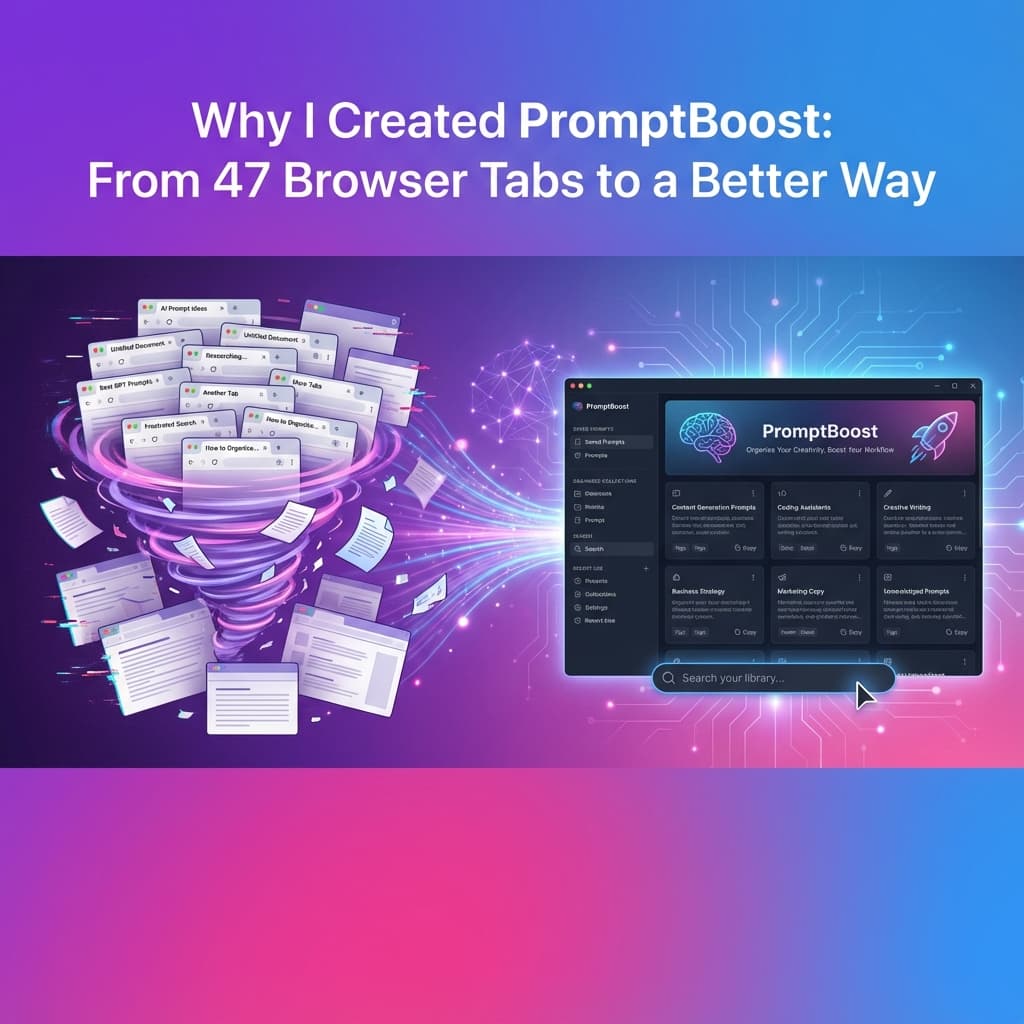
Why I Created PromptBoost: From 47 Browser Tabs to a Better Way
I still remember the moment that broke me. It was 2 AM, I was on a deadline, and I had 47 browser tabs open — most of them ChatGPT conversations where I was desperately searching for "that perfect prompt I used last week."
You know the one. The prompt that gave you amazing results. The one you forgot to save. The one that's now buried somewhere in your chat history, lost forever.
That night, I decided something had to change.
The Copy-Paste Nightmare
If you work with AI regularly, you've probably developed your own messy system. Maybe it's:
- A Google Doc titled "Prompts - FINAL - FINAL v2 - USE THIS ONE"
- Sticky notes plastered across your monitor
- A Notes app that's become a graveyard of half-remembered prompt structures
- Screenshots of good prompts saved in a folder you never actually check
I tried all of these. None of them worked.
The problem wasn't just organization — it was context switching. Every time I needed to craft a prompt, I'd break my flow:
- Open another tab
- Search through my notes
- Copy the structure
- Switch back to ChatGPT
- Paste and modify
- Lose my train of thought in the process
Context switching kills creativity. By the time I found the right prompt structure, I'd forgotten what I actually wanted to ask.
The Framework Rabbit Hole
Then I discovered prompt engineering frameworks: COSTAR, CARE, RISEN, RTF, TAG... Each one brilliant for different use cases. Each one impossible to remember when you actually need it.
I'd bookmark articles. Save templates. Create Notion databases. But when I was in the middle of writing code or creating content, I'd default to lazy, generic prompts because the friction was too high.
It's like knowing design patterns but coding without an IDE. The knowledge is there, but the tools to apply it aren't.
Why Existing Solutions Didn't Work
I looked for tools to solve this. Here's what I found:
Browser extensions: Limited functionality, tied to specific AI platforms, and my prompts lived in someone else's cloud.
Web apps: Required internet, meant my sensitive work prompts were stored on external servers, and added yet another subscription to my growing list.
Note-taking apps: Not built for this use case. No quick access, no templates, no structure.
What I needed was something that:
- Lived on my desktop for instant access
- Worked offline (because I do my best thinking on flights)
- Kept my data local and private
- Made frameworks actually usable, not just readable
That tool didn't exist. So I built it.
The Building Journey
I'll be honest — I had serious doubts. Imposter syndrome hit hard. Who was I to build a tool for prompt engineering? There were so many experts out there.
But then I realized: I wasn't building for experts. I was building for people like me — developers, marketers, creators who knew AI was powerful but were frustrated by the chaos of managing prompts.
I chose Tauri to build a native desktop app instead of another web service. Why?
- Privacy first: Your prompts stay on your machine unless you choose to sync
- Incredibly lightweight: Built with Rust, the app is blazingly fast with a tiny footprint — the entire installer is just a few megabytes compared to hundreds of megabytes for Electron apps
- Rust-powered backend: Leveraging Rust's memory safety and performance means the app is secure, stable, and uses minimal system resources
- Native performance: No sluggish web wrapper — it feels like a real desktop app because it is one
- Offline-capable: No internet? No problem. Everything works locally
- Cross-platform: Works seamlessly on Mac, Windows, and Linux from a single codebase
- Security by default: Tauri's security model means your data stays protected without the vulnerabilities common in web-based apps
The first version was rough. Really rough. But the moment I used it for the first time — saved a prompt, tagged it, found it instantly later — I knew I was onto something.
What Surprised Me
Building PromptBoost taught me things I didn't expect:
1. I was wasting more time than I thought
When I actually tracked it, I was spending 15-20 minutes per day just hunting for prompts and reconstructing frameworks from memory. That's over 100 hours a year lost to prompt archaeology.
2. Consistency matters more than cleverness
My AI outputs got noticeably better not because I became a prompt genius, but because I could reuse what worked. Consistency beats creativity when you're trying to get work done.
3. Everyone has this problem
I thought maybe I was just disorganized. But when I talked to other developers, marketers, and creators, everyone had their own broken system. The problem was universal.
The Real Problem I'm Solving
PromptBoost isn't just a prompt manager. It's a thinking tool.
When you can quickly access frameworks, templates, and your own proven prompts, you:
- Stop reinventing the wheel every time you need AI help
- Build on past successes instead of starting from scratch
- Focus on the problem instead of remembering the structure
- Iterate faster because you have a library of what works
It's the difference between writing code in Notepad versus a proper IDE. The knowledge is the same, but the tools amplify what you can do with it.
Where This Is Going
I'm not trying to build the biggest AI tool empire. I'm building something I wish existed when I was drowning in browser tabs.
The roadmap is driven by real needs:
- Team collaboration (because good prompts should be shared)
- Prompt versioning (track what works over time)
- AI-powered suggestions (learn from your best prompts)
- Community templates (learn from others who've solved similar problems)
But the core will always be the same: a fast, private, local-first tool that makes prompt engineering actually practical.
The Honest Truth
I don't know if PromptBoost will change the world. But I know it's changed how I work with AI.
I'm no longer hunting through tabs at 2 AM. I'm not forgetting brilliant prompts. I'm not context-switching myself into frustration.
I'm just... working. With AI as a tool that actually enhances my productivity instead of adding to the chaos.
If you've ever felt that frustration — the "I know I had a great prompt for this" moment — then PromptBoost might be for you too.
Join the Journey
This is just the beginning. I'm building in public, learning from users, and constantly improving based on real feedback.
If you're tired of the prompt chaos, try PromptBoost and let me know what you think. What works? What doesn't? What features would make your life easier?
Let's build something better together.
Have your own prompt management horror story? I'd love to hear it. Connect with me and share how you're currently managing your AI prompts — maybe we can learn from each other.
Ready to Transform Your Prompts?
PromptBoost has all these frameworks built-in. Start creating professional prompts in seconds.
Get PromptBoost Now