How to use PromptBoost? Complete Step-by-Step Guide
Learn how to use PromptBoost effectively with this comprehensive guide. Discover how to revise prompts, bookmark favorites, send to AI apps, organize projects, and customize AI models for optimal prompt engineering results.
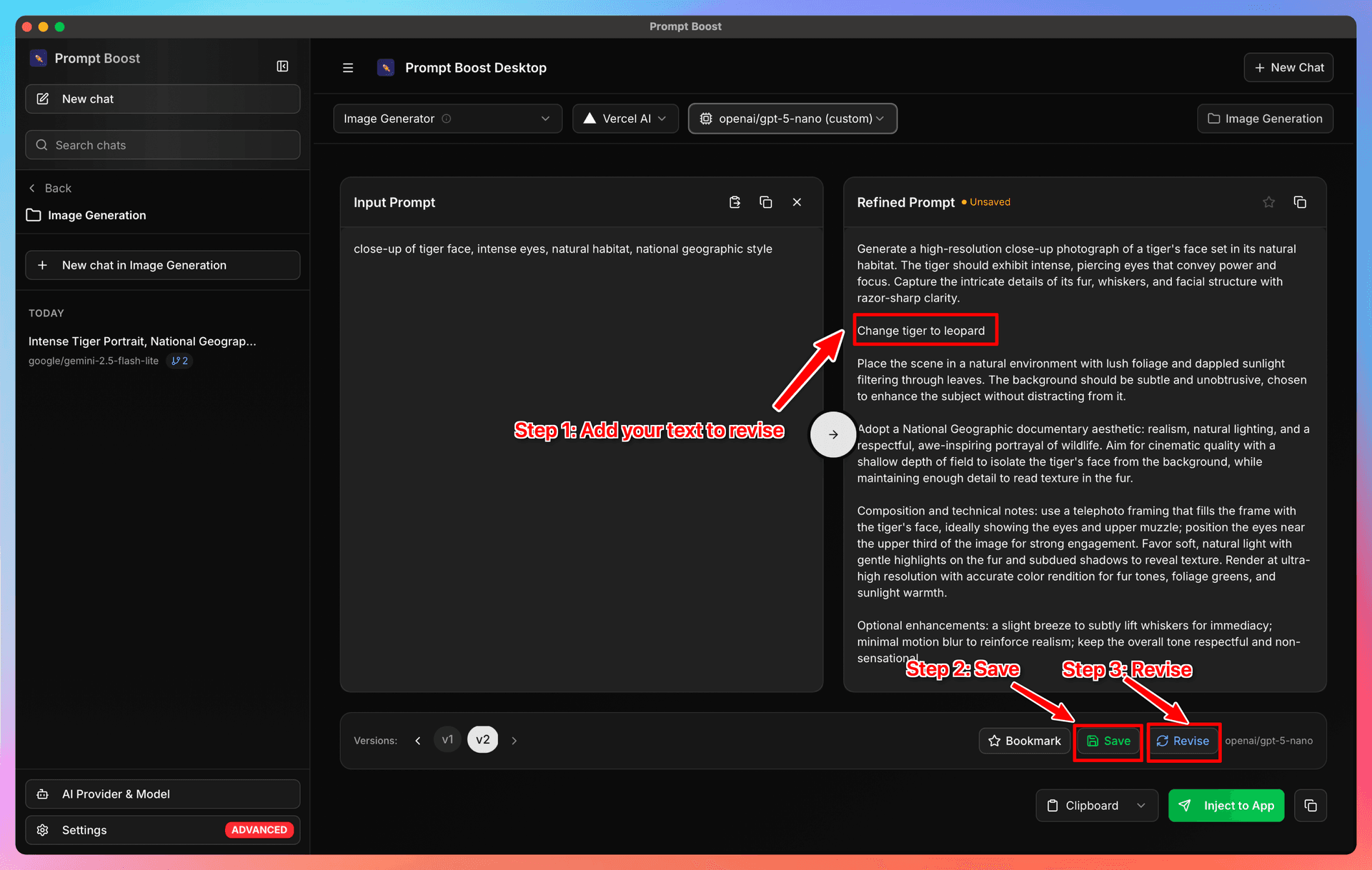
How to use PromptBoost? Complete Step-by-Step Guide
PromptBoost is designed to make prompt engineering effortless and efficient. Whether you're new to AI prompting or an experienced user, this guide will walk you through all the essential features to help you get the most out of PromptBoost.
Getting Started with PromptBoost
PromptBoost provides a streamlined workflow for creating, refining, and managing your AI prompts. Let's explore each key feature step by step.
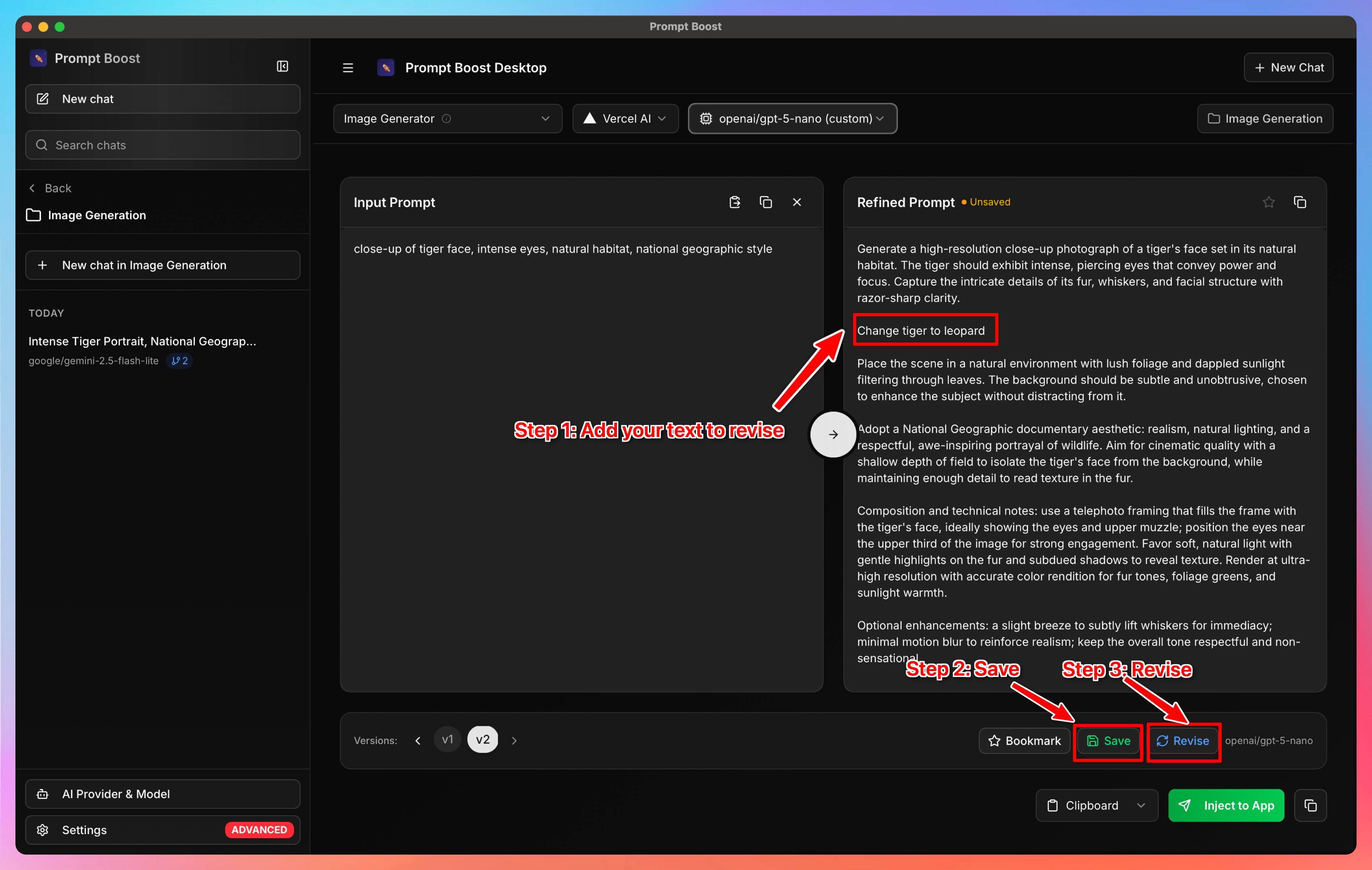
Step 1: Revise Your Prompts
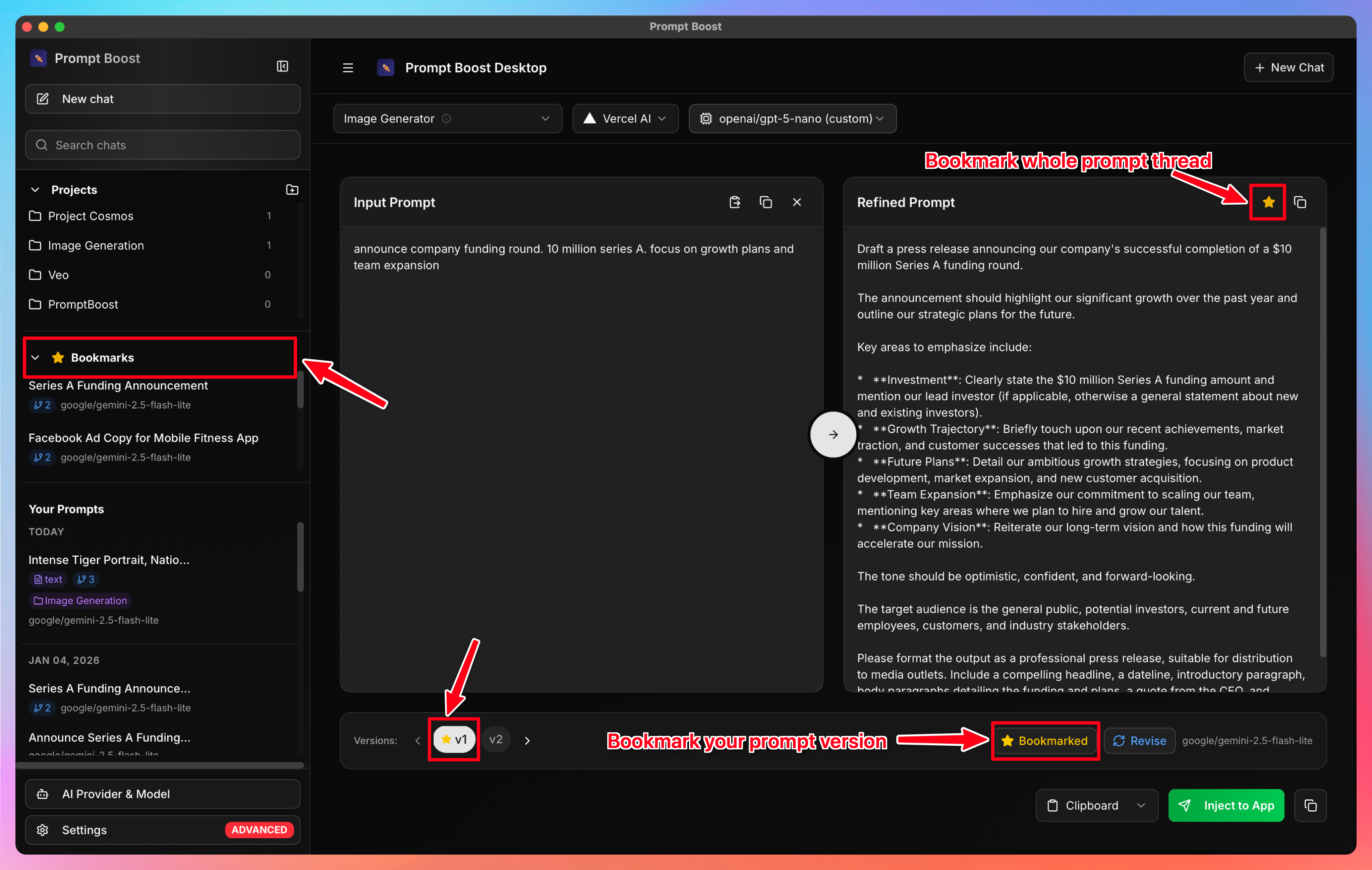
Step 2: Bookmark Your Best Prompts
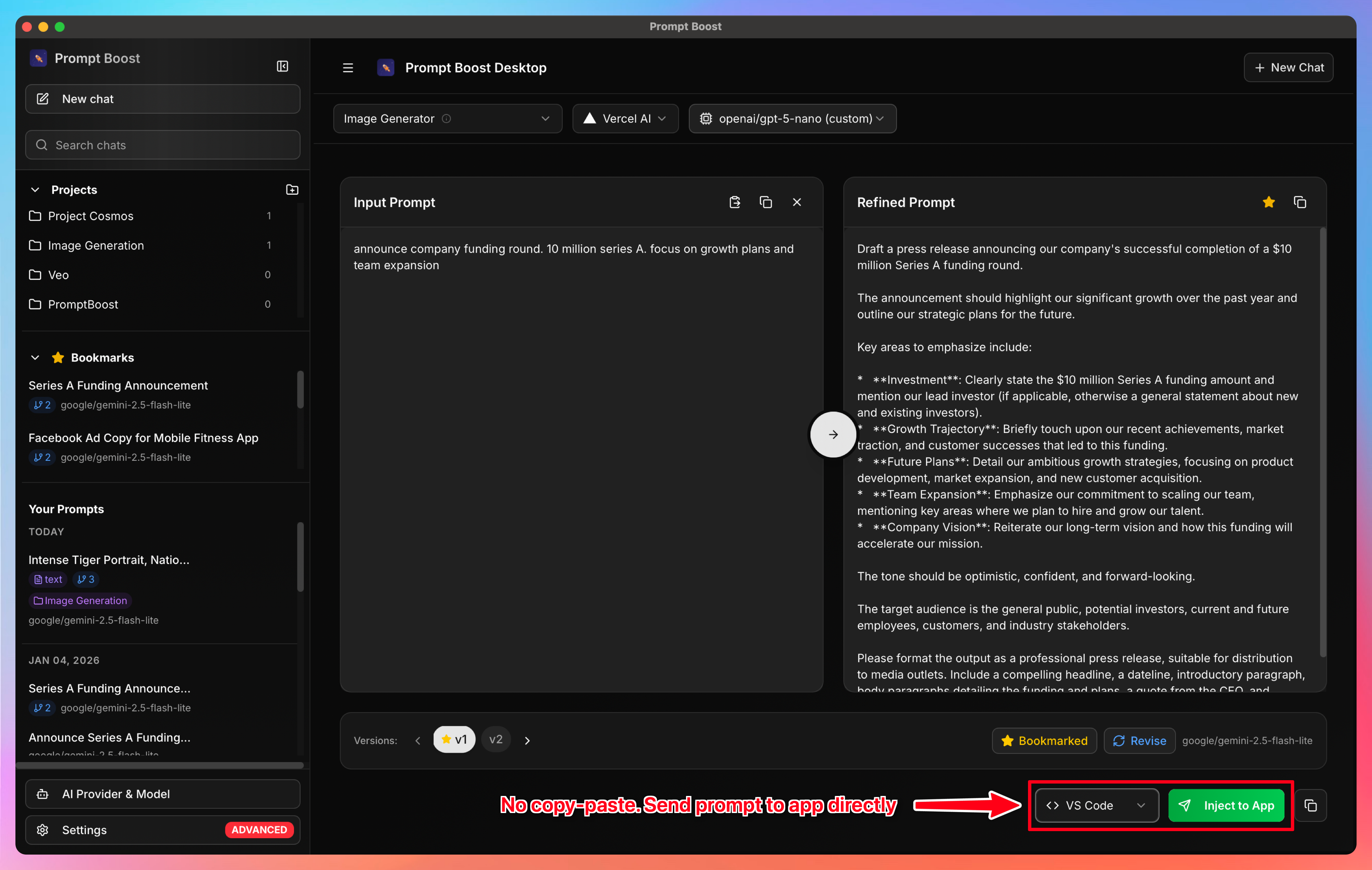
Step 3: Send Directly to Your Favorite Apps
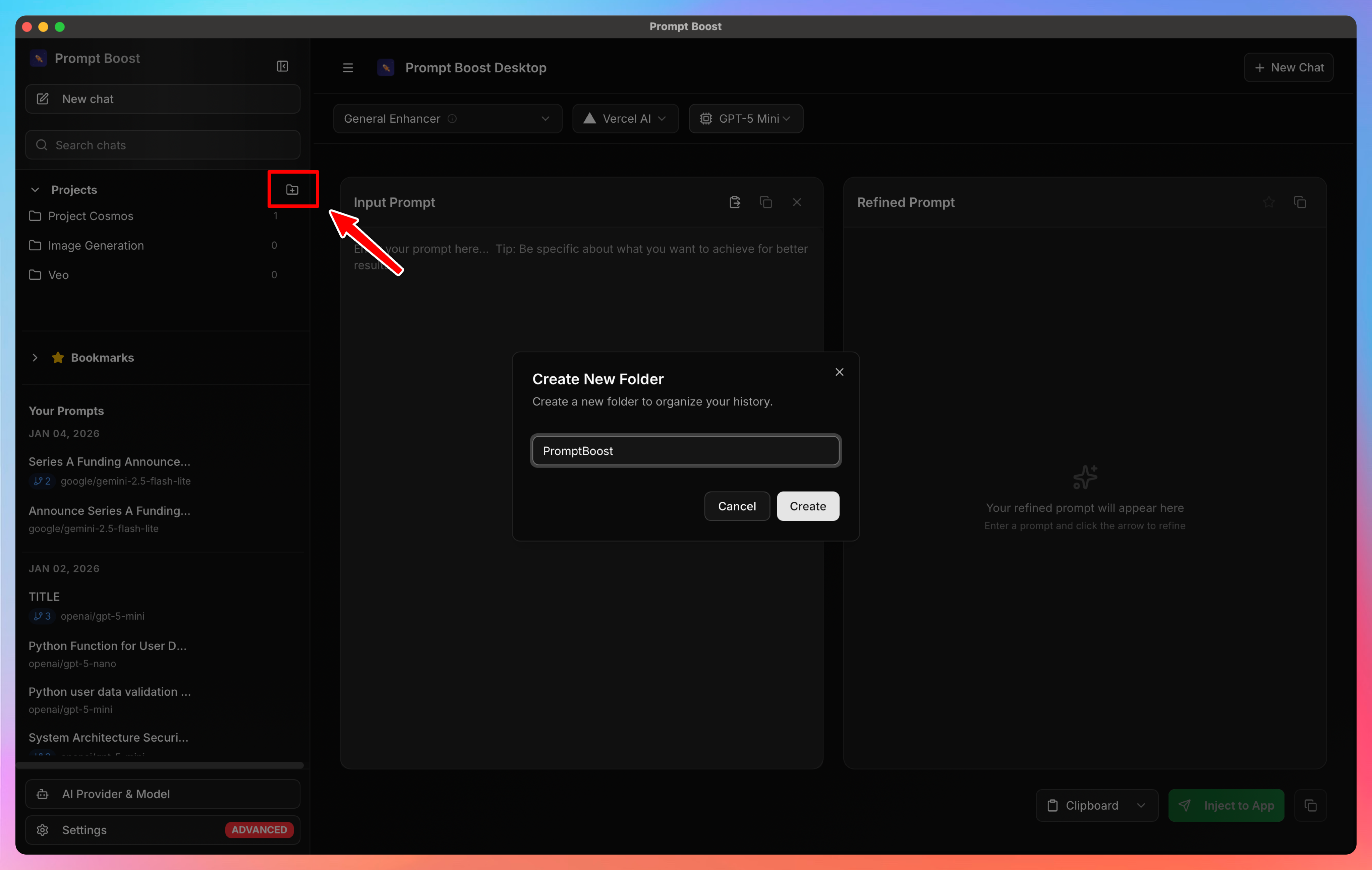
Step 4: Create and Organize Folders
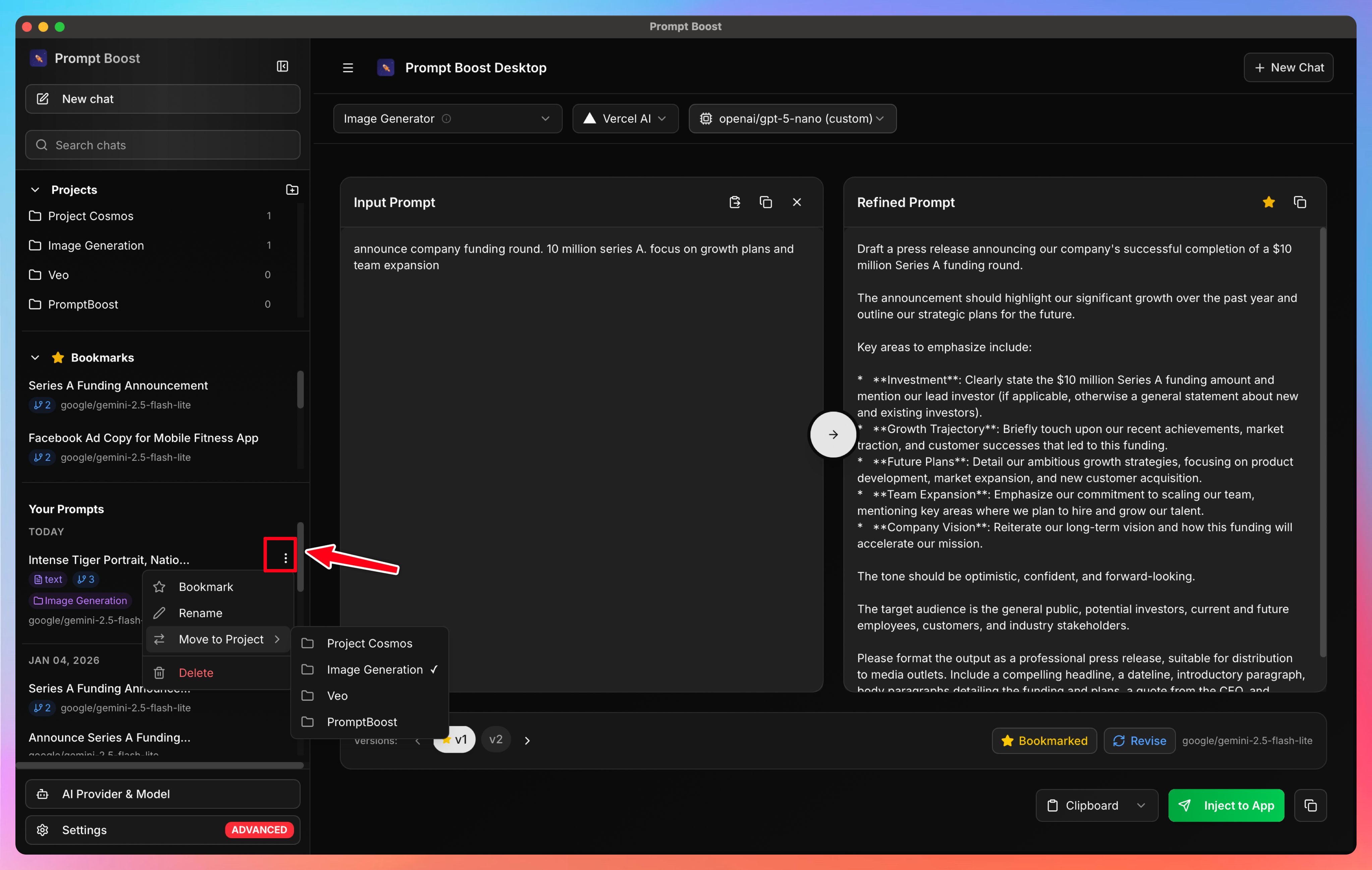
Step 5: Organize Prompts Within Projects
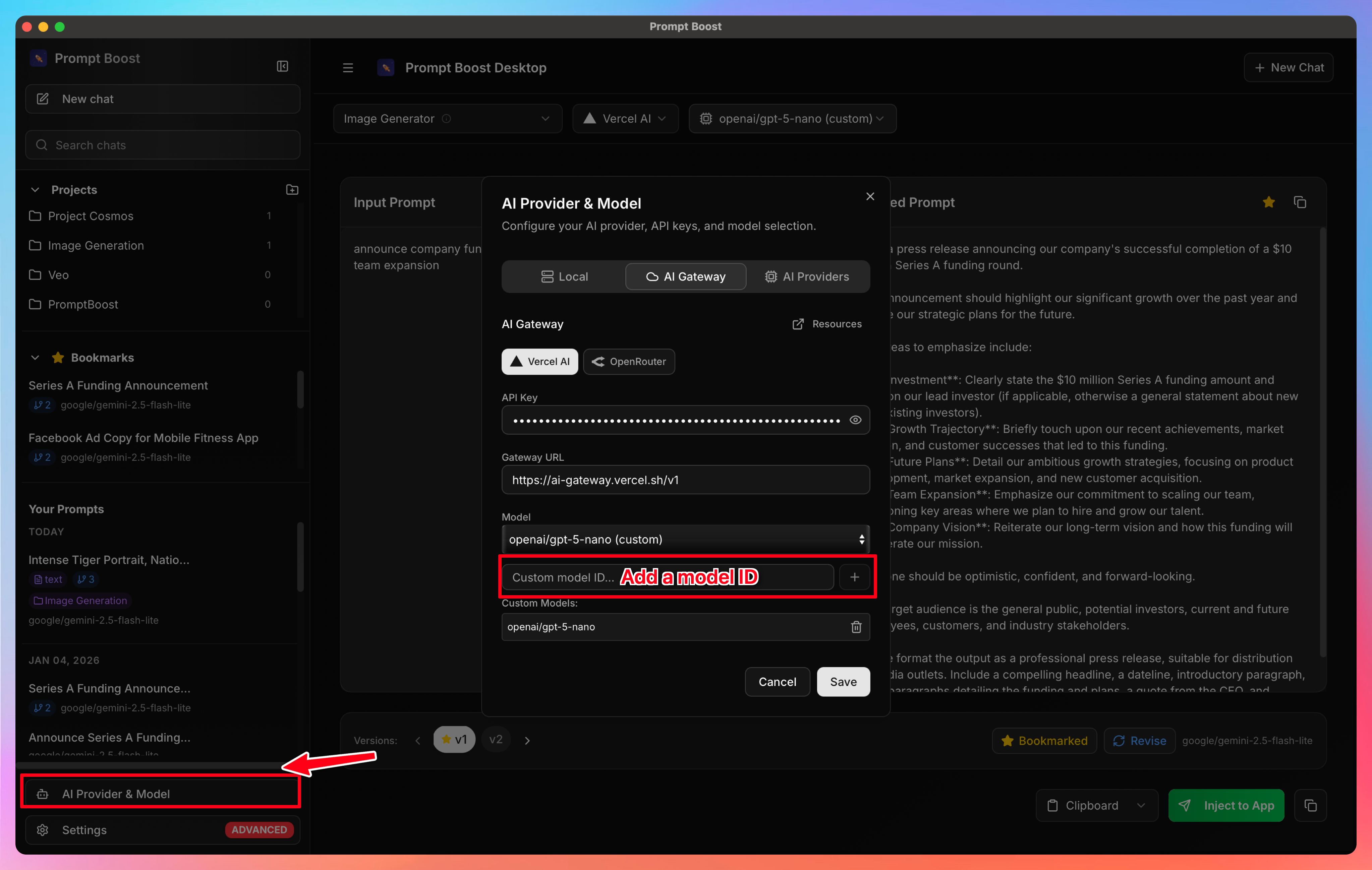
Step 6: Customize AI Models
Ready to supercharge your prompt engineering workflow? Get PromptBoost and start creating professional, effective prompts in minutes.
Ready to Transform Your Prompts?
PromptBoost has all these frameworks built-in. Start creating professional prompts in seconds.
Get PromptBoost Now