The Hidden Cost of Bad Prompts: Why Your AI Outputs Are Inconsistent (And How to Fix It)
Discover why your AI outputs are inconsistent and unpredictable. Learn the 5 common reasons for poor AI results, how to fix vague prompts, and why structured frameworks like COSTAR and RISEN bring consistency to your prompt engineering workflow.
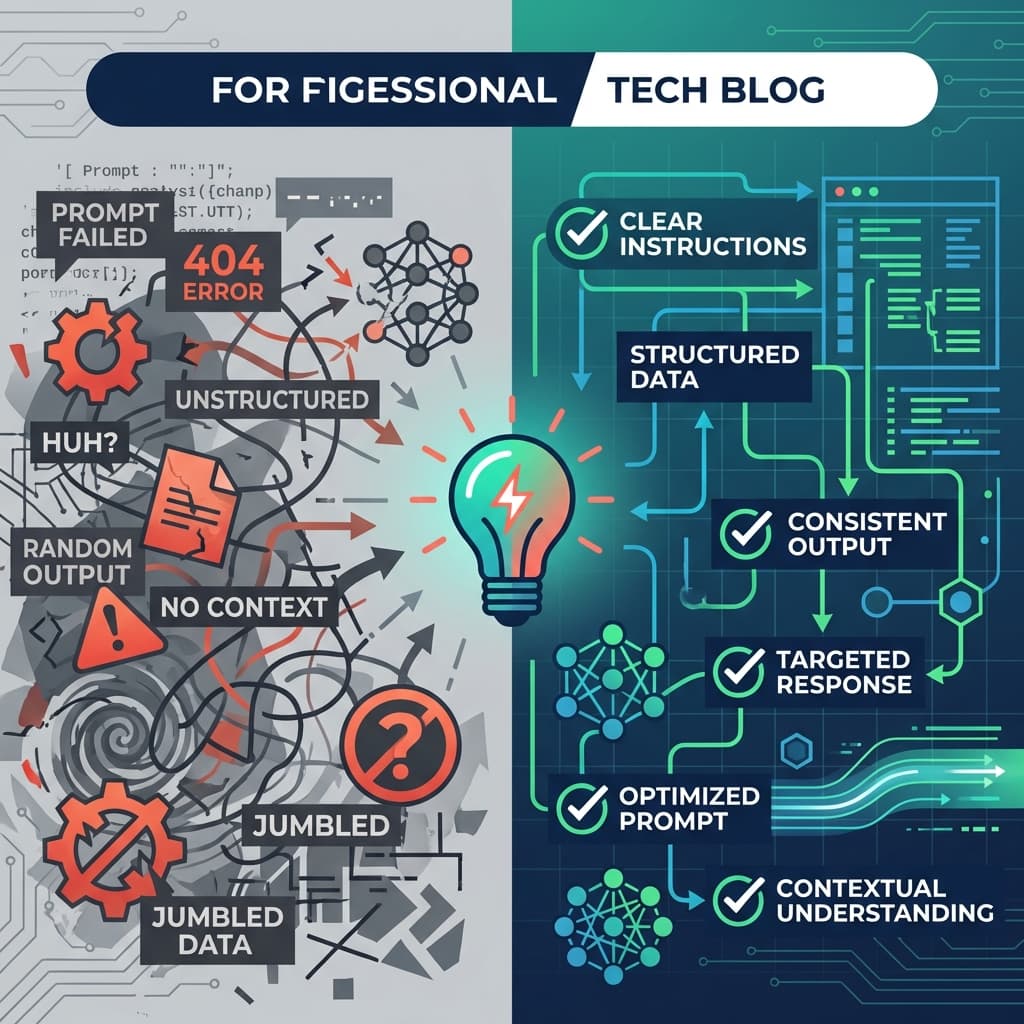
The Hidden Cost of Bad Prompts: Why Your AI Outputs Are Inconsistent (And How to Fix It)
You've probably experienced this frustration: you ask ChatGPT, Claude, or Gemini the same question twice and get completely different answers. Or worse—you craft what seems like a clear prompt, only to receive generic, unhelpful output that misses the mark entirely.
You're not alone. And it's not the AI's fault.
The real culprit? Bad prompts. And they're costing you more than you think—wasted time, inconsistent results, and missed opportunities to leverage AI's full potential.
The Non-Deterministic Nature of AI: Why "Same Input ≠ Same Output"
Here's something most people don't realize: Large Language Models (LLMs) are inherently non-deterministic. This means that even with identical prompts, the AI can produce different responses each time.
Think of it like asking five different experts the same vague question—you'll get five different interpretations and answers. The AI isn't broken; it's working exactly as designed. But when your prompts are unclear, ambiguous, or incomplete, you're essentially rolling the dice on quality.
The hidden cost? Every bad prompt wastes 5-15 minutes of trial-and-error refinement. That's 100+ hours per year lost to prompt archaeology and frustration.
5 Common Reasons Your AI Outputs Are Inconsistent
1. Vague Instructions
Bad prompt:
write a blog post
Why it fails: The AI has to guess your intent. What topic? What length? What tone? What audience? Without specifics, you'll get generic, unfocused output.
Real example from our data: A user asked for "coffee mug on wooden table, morning light, professional product photo" and received a basic, uninspiring image. When they refined it with precise details about lighting angles, texture rendering, camera settings, and mood, the result was a stunning, publication-ready product photograph.
2. Missing Context
Bad prompt:
make a python function that checks if user data is valid
Why it fails: Valid according to what criteria? Email format? Password strength? Username length? The AI needs context to deliver accurate results.
Better approach:
Create a Python function that validates user registration data with comprehensive
checks for email format, password strength (min 8 chars, uppercase, lowercase,
digit, special character), and username constraints (3-20 chars, alphanumeric +
underscores only). Return a dictionary with "valid" boolean and "errors" list.
The difference? Specificity eliminates guesswork.
3. No Defined Output Format
Without clear formatting instructions, AI outputs can be all over the place—sometimes bullet points, sometimes paragraphs, sometimes tables. This inconsistency makes it impossible to build reliable workflows.
Example from video generation: A vague prompt like "basketball game highlights, slow motion dunks, energetic editing" produced mediocre results. But when structured with specific camera work, motion dynamics, lighting design, color grading, and pacing instructions, the output became broadcast-quality sports footage.
4. Overloaded Prompts (Too Many Tasks)
Trying to accomplish too much in a single prompt dilutes focus and confuses the AI.
Bad prompt:
Write an article on AI trends, make it SEO-optimized, include code examples,
add images, create social media posts, and generate a newsletter version
Why it fails: The AI tries to juggle everything and does none of it well.
Better approach: Break it into sequential, focused prompts—one for the article outline, one for the draft, one for SEO optimization, and separate prompts for social media adaptations.
5. Lack of Examples (Few-Shot Prompting)
AI learns patterns. When you provide examples of what you want, the quality skyrockets.
Before (no examples):
write compelling product description for wireless earbuds
After (with examples and structure):
Write a compelling product description for premium wireless earbuds.
Open with a hook highlighting 10-hour battery life and superior sound quality.

Example tone: "Sleek, modern black smartphone sits centered against a clean,
soft gradient white background..."

Include: battery specs (10hrs per earbud, 40hrs with case, 10-min quick charge
= 2hrs playback), sound quality details (powerful bass, clear mids, detailed highs),
and 4-6 key specs in bullets.
How Structured Frameworks Bring Consistency
This is where prompt engineering frameworks become game-changers. Instead of reinventing the wheel every time, frameworks like COSTAR and RISEN provide proven structures that eliminate guesswork.
COSTAR Framework
- Context: Background information
- Objective: What you want to achieve
- Style: Tone and voice
- Tone: Emotional quality
- Audience: Who it's for
- Response: Desired format
RISEN Framework
- Role: Who the AI should be
- Instructions: Clear, specific directions
- Steps: Sequential actions
- End goal: Desired outcome
- Narrowing: Constraints and refinements
Real-world impact: When users applied the COSTAR framework to a simple "action movie poster" prompt, the transformation was dramatic—from a generic image to a cinematic, hyper-realistic render with precise lighting, composition, and mood control.
Before & After: The Power of Structured Prompts
Example 1: Image Generation (Tiger Photography)
Before (vague):
close-up of tiger face, intense eyes, natural habitat, national geographic style
After (structured):
A stunning close-up of a Bengal tiger's face filling the frame, every whisker
and fur strand sharply rendered, with piercing amber eyes as the central focal
point. Capture texture of wet nose, fine micro-hairs around muzzle, and subtle
ragged edges of fur for visceral, tactile presence.

Set in natural habitat at edge of dense, sun-dappled jungle clearing, with soft,
out-of-focus foliage and warm earth tones in background. No cages, no human
elements—animal appears at home and powerful in its terrain.

Composition: extreme close-up, eye-level perspective, eyes centered horizontally
and occupying top third of frame. Shallow depth of field, eyes pin-sharp while
background melts into creamy bokeh.

Lighting: warm golden-hour side light with gentle rim light from opposite side,
soft fill from low-angle reflector feel.

Technical: ultra-detailed photoreal 8K output, 3:2 portrait aspect ratio,
simulated 85mm focal length at f/2.8, high dynamic range, realistic film grain.
Result: Same idea. Better prompt. Complete control over the output.
Example 2: Code Generation (Data Validator)
Before (vague):
make a python function that checks if user data is valid. needs to check
email, password strength, username length
After (structured):
Create a Python function that validates user registration data with comprehensive
checks for email format, password strength, and username constraints.

Function should accept three parameters: email (string), password (string), and
username (string). Return dictionary with "valid" boolean and "errors" list.

Email validation: regex pattern matching standard email conventions.
Password validation: min 8 chars, at least one uppercase, one lowercase, one
digit, one special character (!@#$%^&*()).
Username validation: 3-20 characters, alphanumeric and underscores only.

Include type hints, comprehensive docstring, meaningful error messages. Handle
edge cases (None values, empty strings, non-string types). Perform all validations
even if early checks fail—return all errors at once.

Include 5 unit tests using unittest framework covering: valid data, missing
uppercase in password, invalid email format, username too short, multiple failures.

Follow PEP 8 style guidelines, 4-space indentation, max 88 characters per line.
Result: Production-ready code with tests, documentation, and error handling—all from one well-structured prompt.
The PromptBoost Solution: Consistency at Scale
Here's the problem with frameworks: they're hard to remember and tedious to apply manually when you're in the flow of work.
That's exactly why we built PromptBoost.
Instead of:
- Opening another tab
- Searching through notes for framework templates
- Copy-pasting structures
- Manually filling in each section
- Losing your train of thought
You get:
- 18+ built-in frameworks ready to use instantly
- One-click prompt refinement with AI-powered suggestions
- Version control so you can track what works
- Reusable templates for your best prompts
- Local-first privacy keeping your work secure
Stop reinventing the wheel. Build on what works.
Your Action Plan: Fix Inconsistent AI Outputs Today
- Audit your last 5 AI prompts. How many were vague, missing context, or overloaded?
- Pick one framework (start with COSTAR or RISEN) and apply it to your most common prompt type.
- Create a prompt library of your top 10 most-used prompts, refined with structure.
- Track what works. Note which prompts give consistent, high-quality results.
- Iterate and refine. Treat prompts like code—version them, test them, improve them.
Or skip the manual work and try PromptBoost—your AI outputs will thank you.
The bottom line: Inconsistent AI outputs aren't a bug. They're a feature of how LLMs work. But with structured, well-crafted prompts, you can turn unpredictability into reliability and transform AI from a frustrating guessing game into a powerful, consistent tool.
Ready to stop wasting time on bad prompts? Get PromptBoost and start getting consistent, professional results from your AI tools.
Ready to Transform Your Prompts?
PromptBoost has all these frameworks built-in. Start creating professional prompts in seconds.
Get PromptBoost Now